App Settings File in App Solution
In preparation for .NET8+ generation, Evoke has migrated from a Web.config file to an appSettings.json file (for App Settings) in the generated Visual Studio Solution.
All App Settings e.g. App Title/Database config/PayPal etc are now located in the root Web folder in a file appSettings.json (Pleae see image below right)
Comments are not supported in a JSON file (e.g. the appSettings.json file) like they were in the web.config.
However you can use JSON transforms to set the configuration to use live settings when using a 'release' profile.
However you can use JSON transforms to set the configuration to use live settings when using a 'release' profile.
To add different profiles for appsettings, right click on the file and click on 'Add Transform'. This will add the correct packages and generate the files. Simply copy from the original appSettings.json file and amend any appropriate setting, making sure to use the JSON format
In the next release of Evoke, this option will be supported 'out-of-the-box' when generating and will automatically populate debug/release appsettings files.
AppSettings - custom migration
If you have any custom functionality that uses app settings these are currently in the web.config file (pre Evoke Release 3.0.10).
You will need to migrate these settings from the Web.config to the appSettings.json file.
You will also need to change any custom code that uses these app settings to get them from the appsettings.json file (instead of the web.config file).
You will need to migrate these settings from the Web.config to the appSettings.json file.
You will also need to change any custom code that uses these app settings to get them from the appsettings.json file (instead of the web.config file).
The following steps will help to guide you through what is required.
Move the keys and values from web.config to appsettings.json
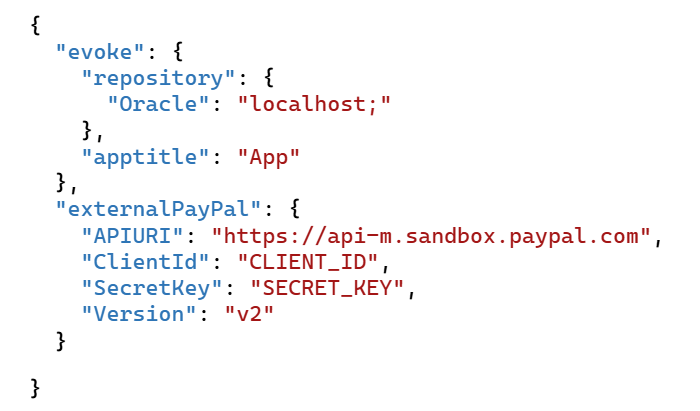
For example if you have in your current web.config some app settings for an external provider (as shown below)...

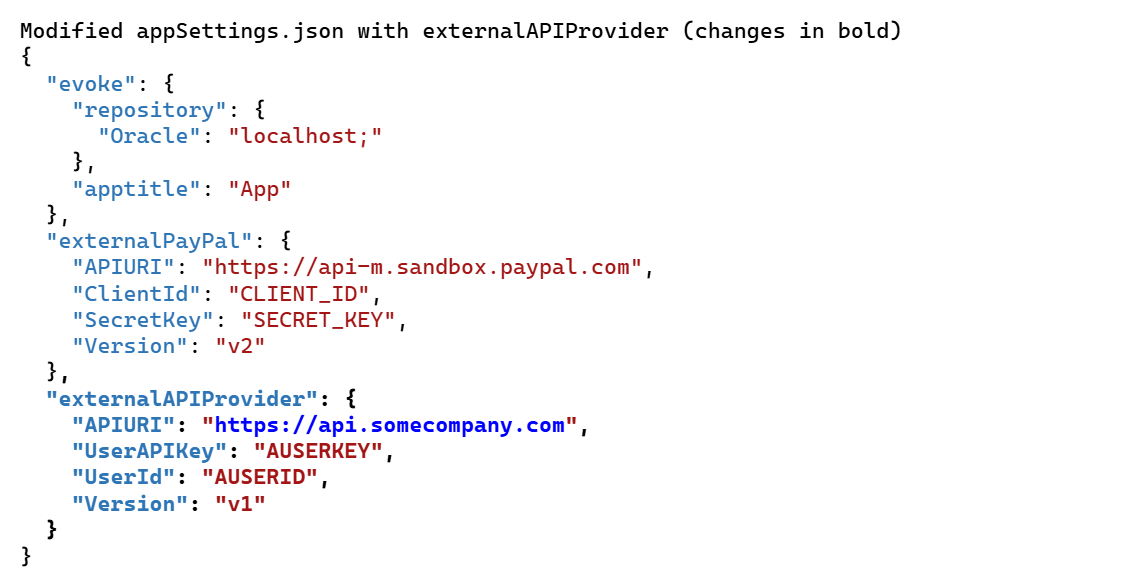
then you will need to open up the appsettings.json file and add the settings at the bottom. The original appSettings.json code can be seen on the right.
Next, you need to change custom code to get settings from appSetting.json file
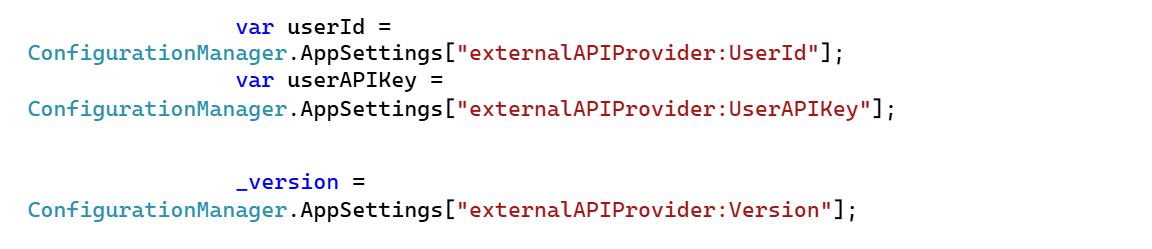
Within your custom code you will have existing code pointing to ConfigurationManager.AppSettings e.g. (Original code)
Within the web solution there is a static configuration class that you can now reference.
If the custom file is not within Utility.cs then add a reference to Controllers:

Then update all code which currently points to ConfigurationManager.AppSettings to Utility.AppConfig
e.g. (Modified code)

If the custom code that uses app settings is within RepositoryAccess, please speak to the support team who will guide you through making the appropriate changes.
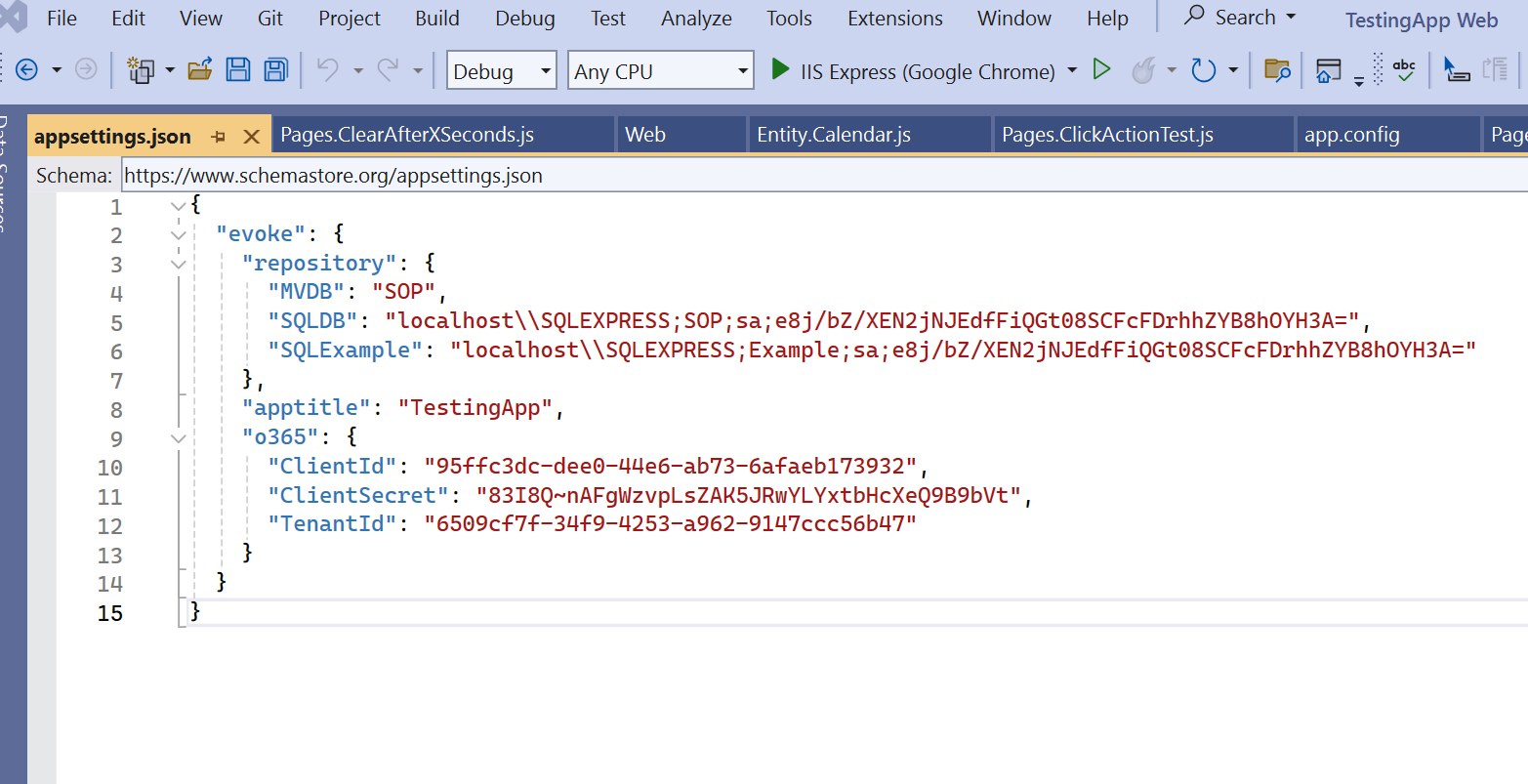
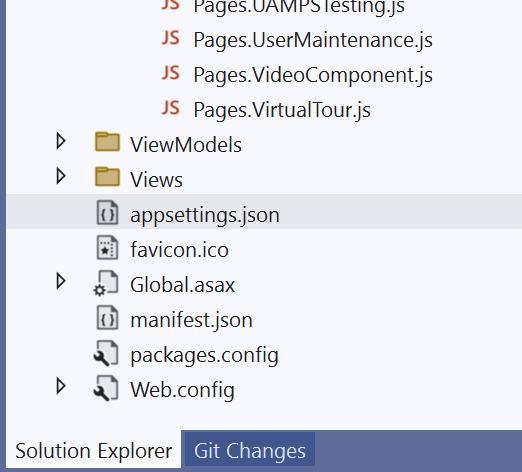
Original appSettings.json