
Evoke ChatBot - Custom
A proprietary Evoke framework implemented in Javascript
A proprietary Evoke framework implemented in Javascript
The Evoke proprietary ChatBot framework, implemented in Javascript, requires customisation in the Visual Studio project created by Evoke when your App design is generated.
The ChatBot question and answer framework needs to be added to the Visual Studio file Web\Scripts\App\App.js as shown in the example below.
Please click on the image to open a larger copy of the image.

Please click on the image to open a larger copy of the image.
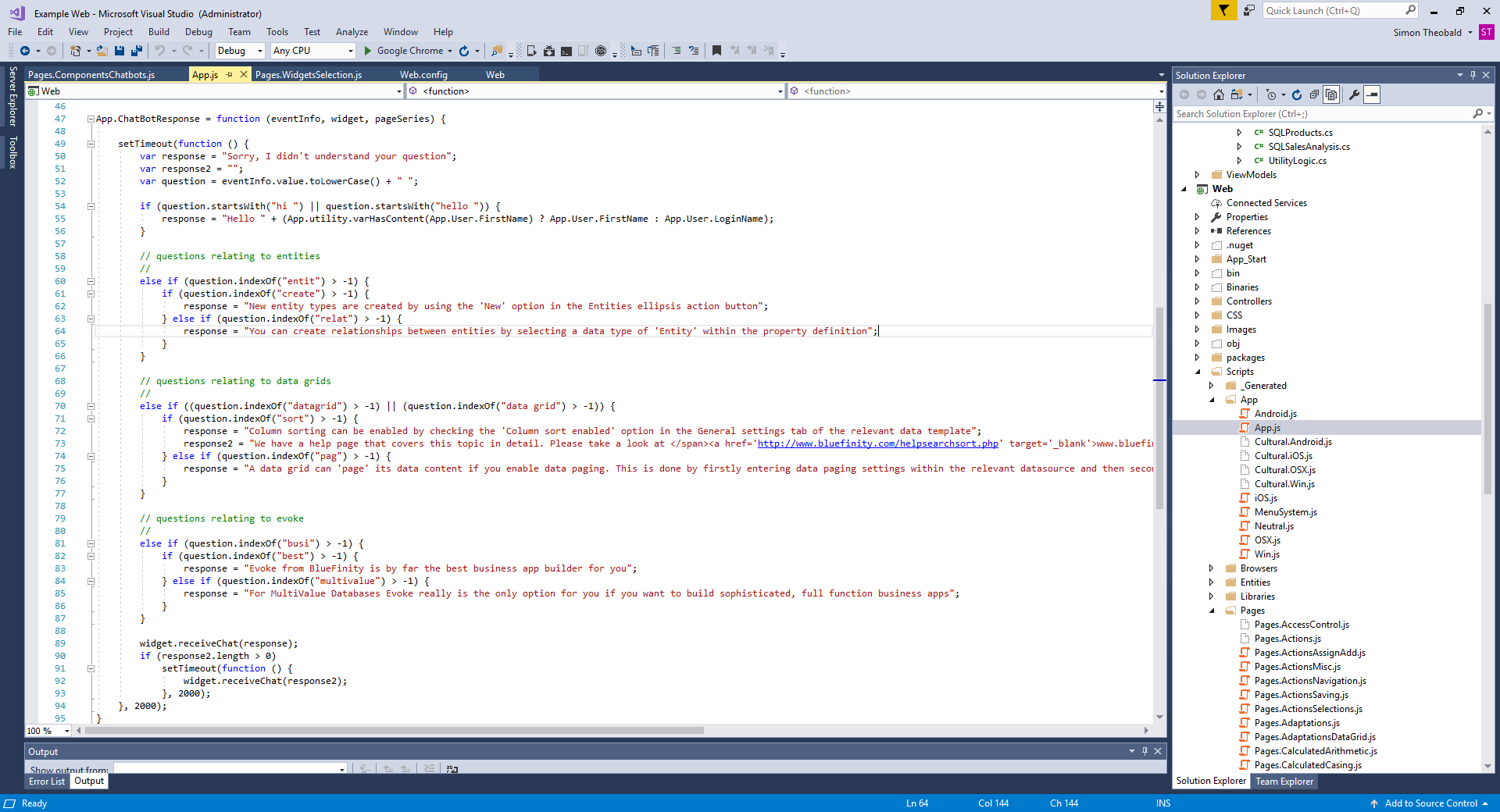
Call App.js ChatBot Function from any App Pages that include the ChatBot
Next you will need to call this App.ChatbotResponse function from any Pages (screens) that include the Chatbot. In the example app these are the Pages ComponentsChatbots and WidgetsSelection. These Pages relate to the Visual Studio files Web\Scripts\Pages\Pages.ComponentsChatbots.js and Web\Scripts\Pages\Pages.ComponentsChatbots.js
The function call is shown in the images of these files below. Please click on the images to open a larger copy of the image.
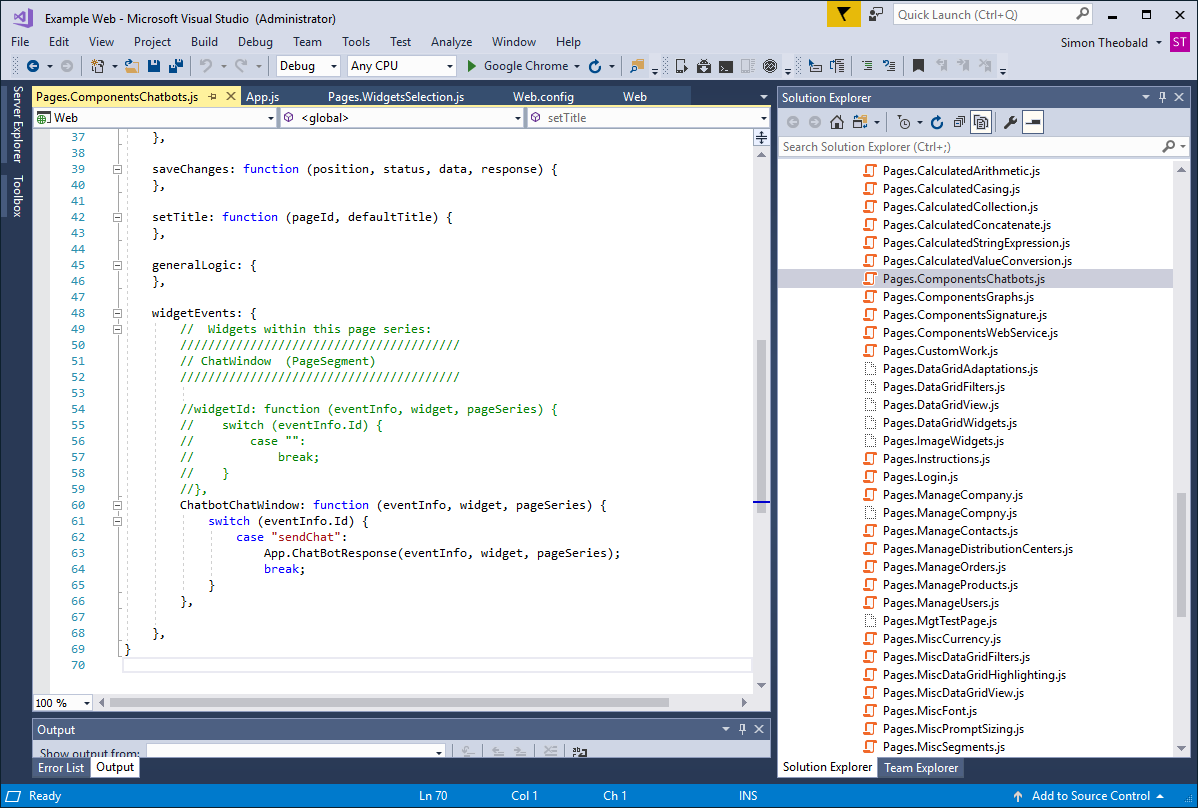
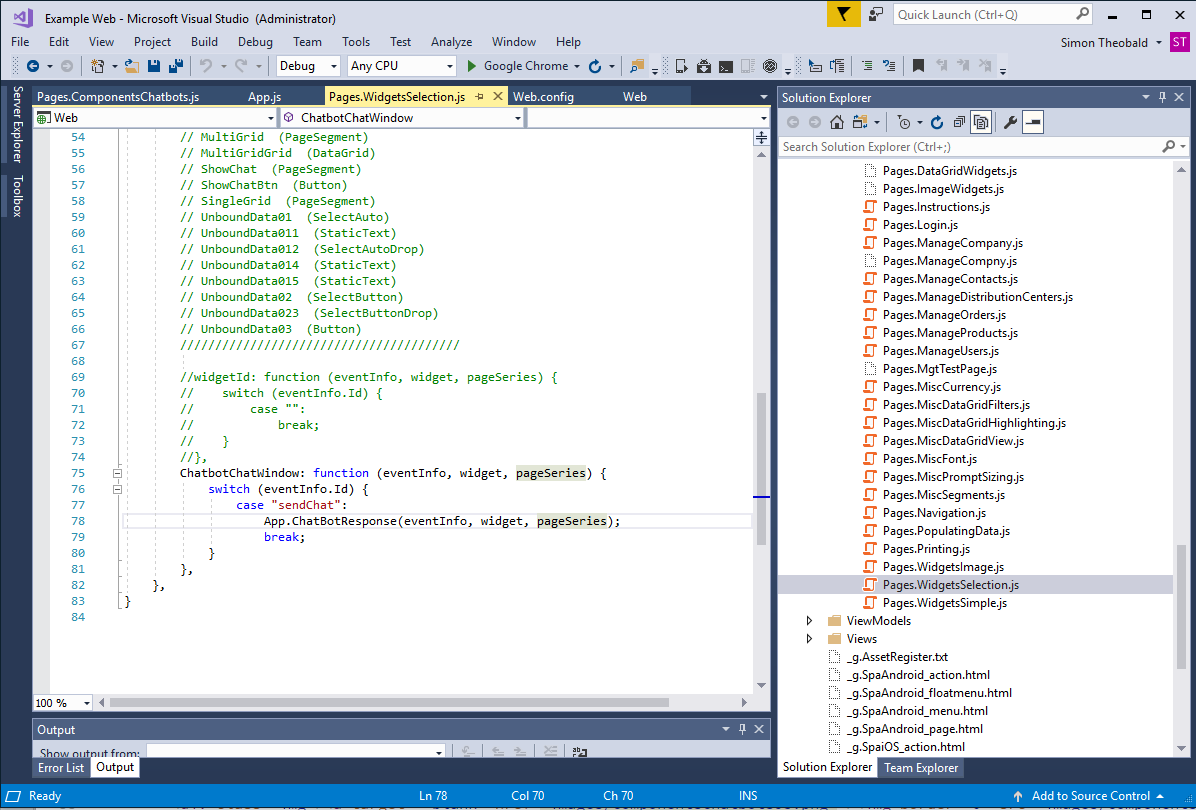
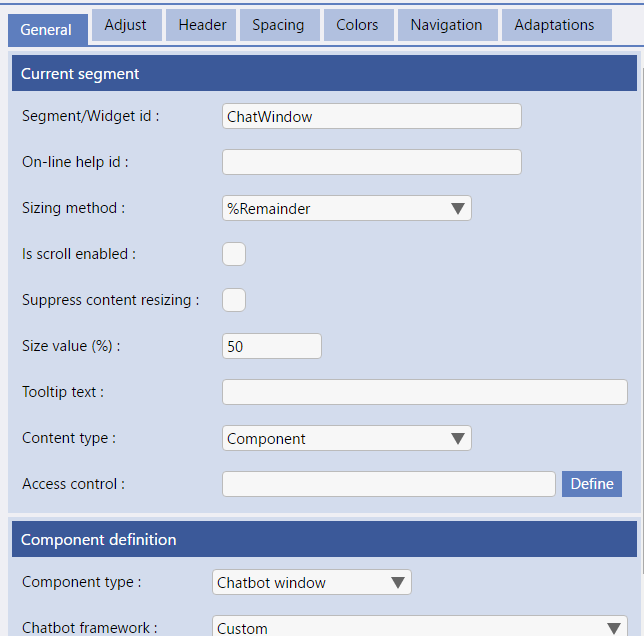
The name of the Widget Event is {"Chatbot"}{PageSegmentName}.
in the Example Opposite the Segment/Widget ID is "ChatWindow" so the Widget ID of the Chatbot is "ChatbotChatWindow" and the ID of the event raised when the user sends a message is "sendChat".