
Download Evoke Utility Routines (CRUD)
(Multivalue Databases only)
(Multivalue Databases only)
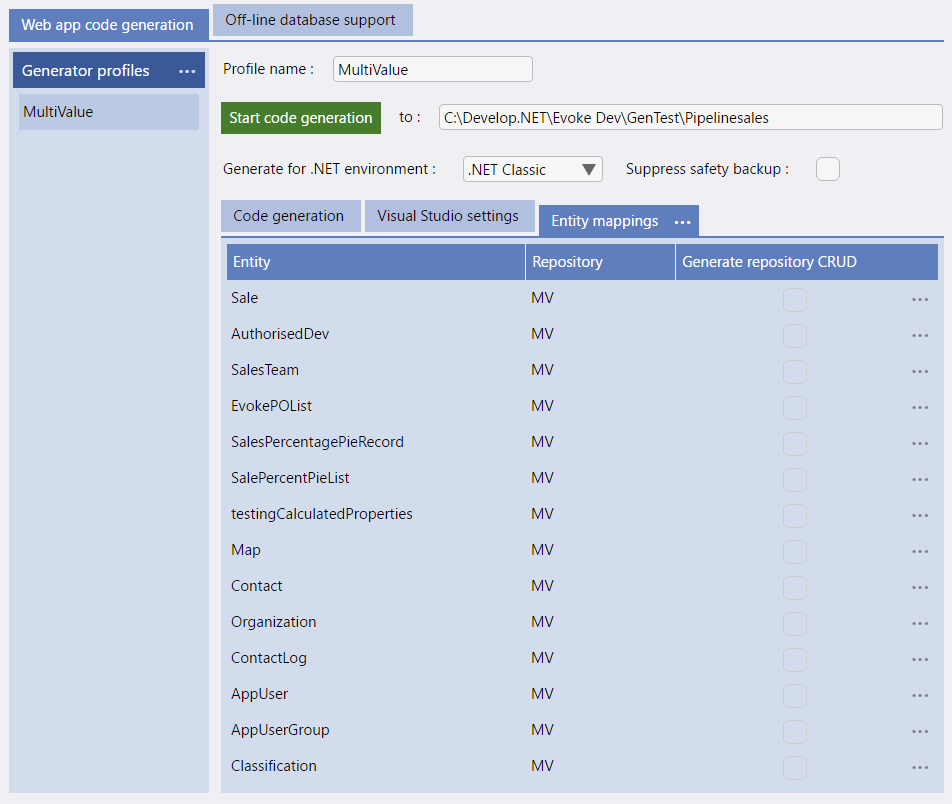
All Selections that are created using Evoke will be generated into DataBASIC CRUD code together with functions such as Create, Read, ReadMultiple, Update, Delete, Logic, etc. However, CRUD code is ONLY created when you select "Generate Repository CRUD" against an Entity in the Web App, Entity Mappings section (see image).
In order for the CRUD to be created properly you must:
-
Create in your database an empty "program" file called EVOKE.CRUD.BP
-
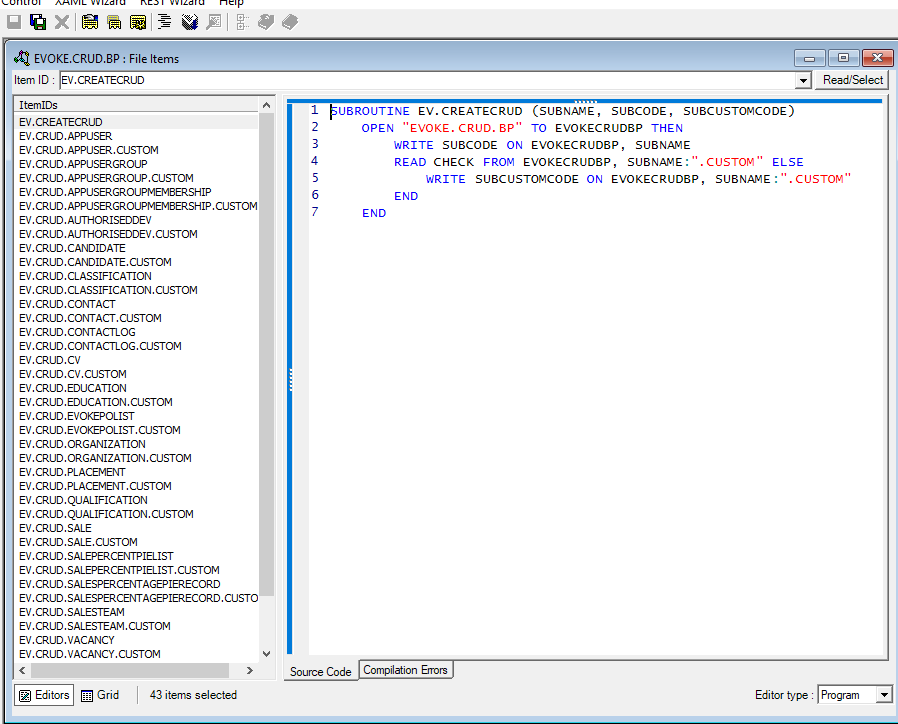
Download the Evoke Utility Routines to this file. User Download Evoke Utility Routines option in the Repositories section (see image below left).
-
Compile the EVOKE.CRUD.BP file in your database and catalogue it (see image below right).
-
Then select generate repository CRUD within your Evoke design against each Entity, regenerate your App and check the Evoke.CRUD.BP file

There is further information regarding setting up and using CRUD in the web app generation section.