
Missing Lines in the Web.Config Warnings
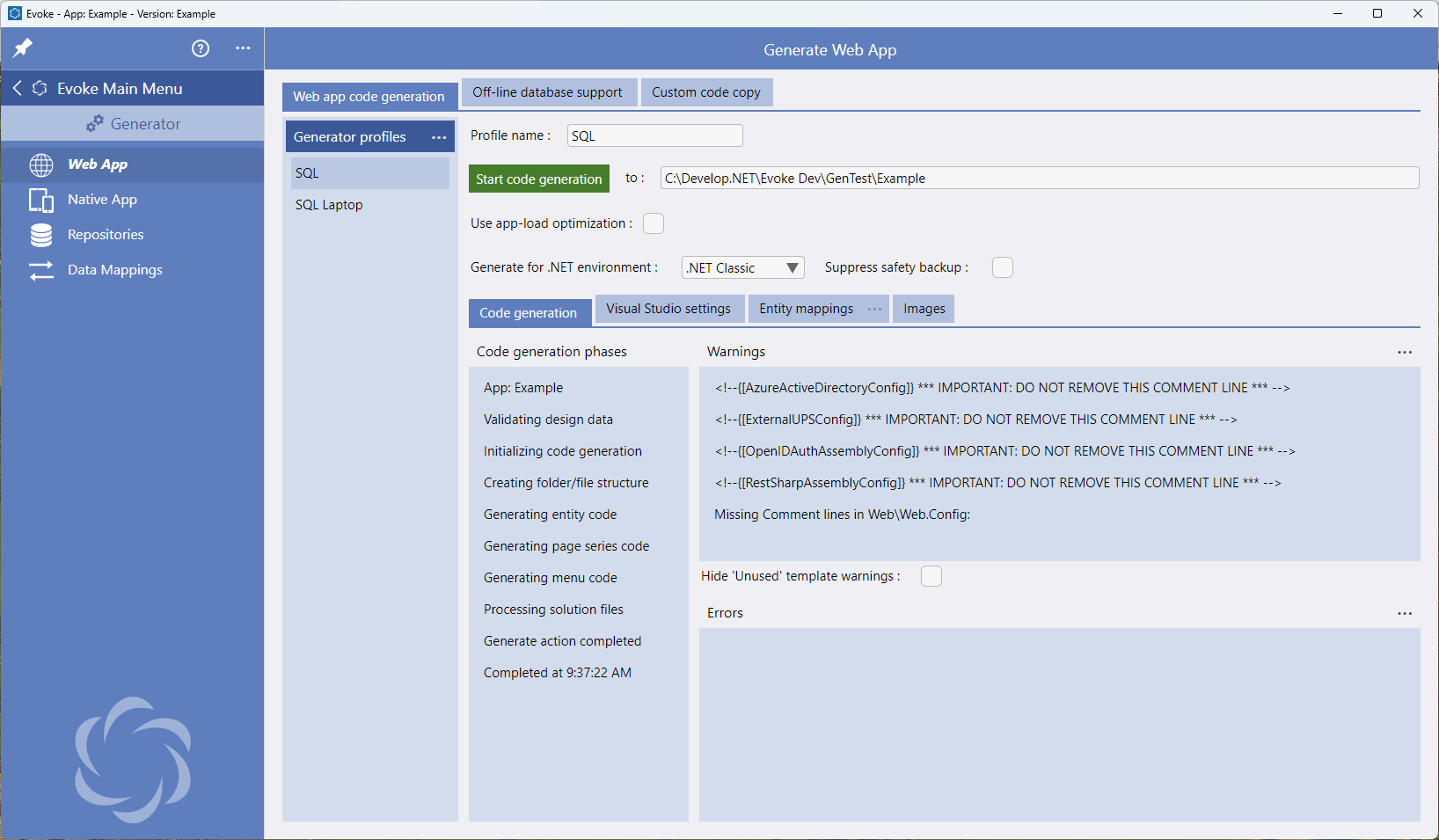
This page gives details instructions on what to do to get rid of these warnings if you get them. Evoke support team is also always available to help you if you would like further support in getting rid of them. The web.config file is found at the bottom on the Web product in your Visual Studio solution.
Missing Lines
"<!--{[OAuthEmailConfig]} *** IMPORTANT: DO NOT REMOVE THIS COMMENT LINE *** -->"
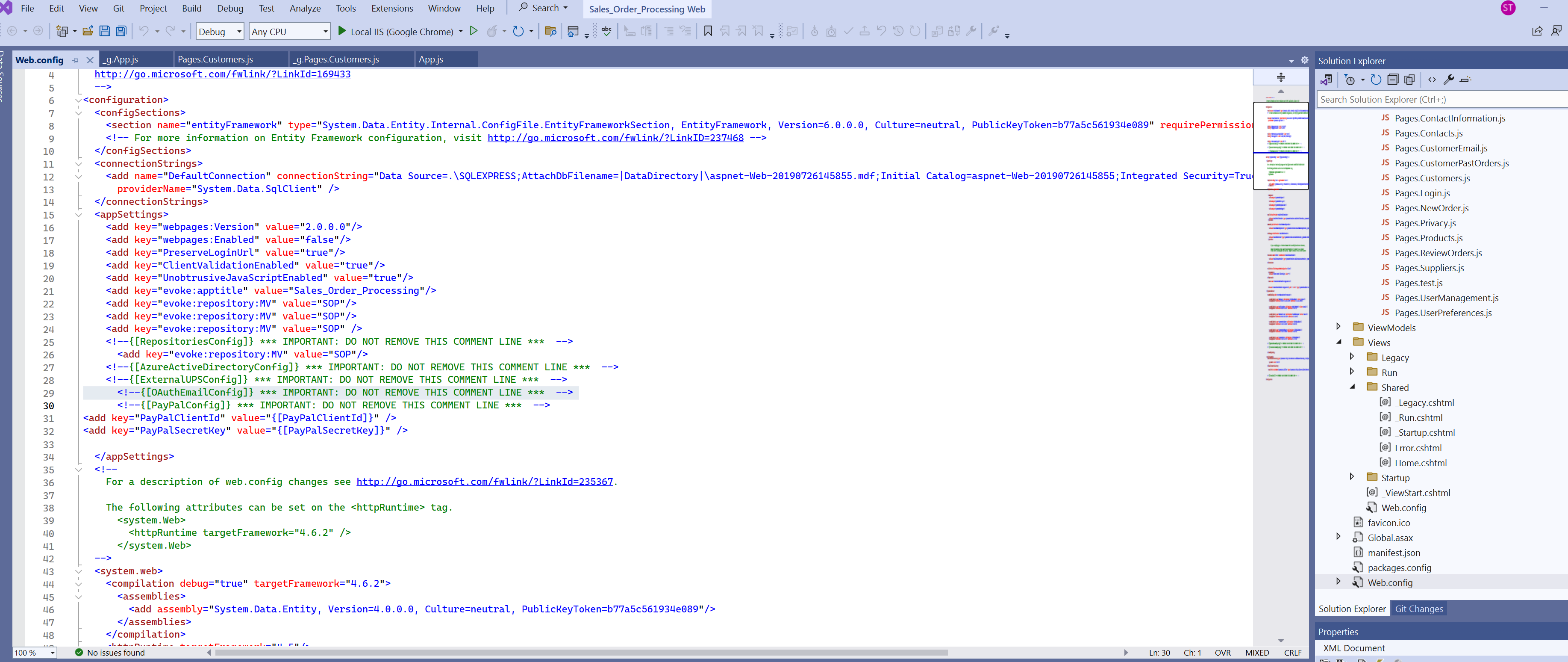
This comment line needs to be added in the web.config file immediately after the comment line "<!--{[RepositoriesConfig]} *** IMPORTANT: DO NOT REMOVE THIS COMMENT LINE *** -->" in the location shown in the image on the right. Please click on the image to make it full page.
"<!--{[AzureActiveDirectoryConfig]} *** IMPORTANT: DO NOT REMOVE THIS COMMENT LINE ***-->"
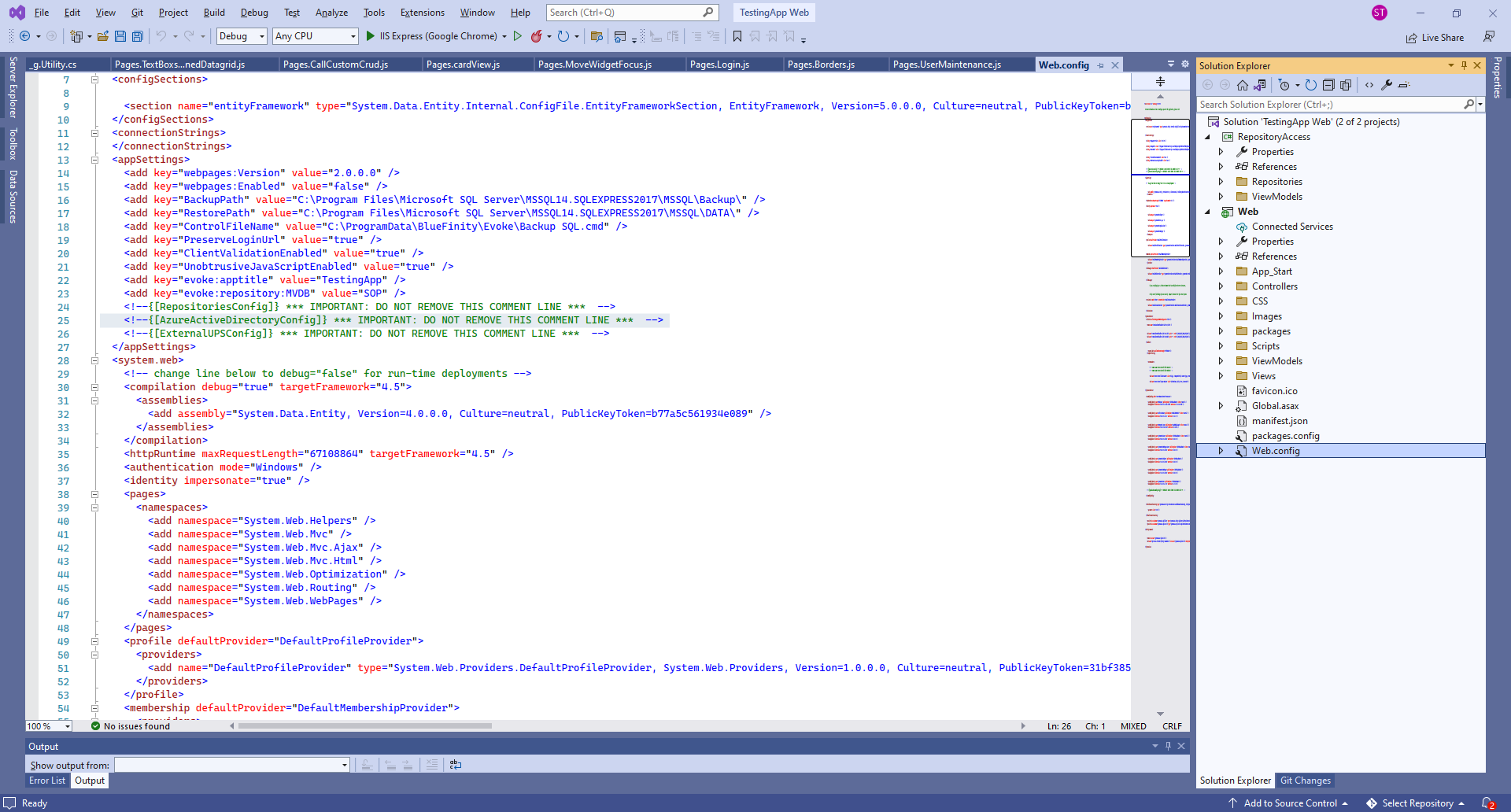
This comment line needs to be added immediately after the comment line "<!--{[RepositoriesConfig]} *** IMPORTANT: DO NOT REMOVE THIS COMMENT LINE *** -->" in the location shown in the image on the right. Please click on the image to make it full page.
"<!--{[ExternalUPSConfig]} *** IMPORTANT: DO NOT REMOVE THIS COMMENT LINE ***-->"
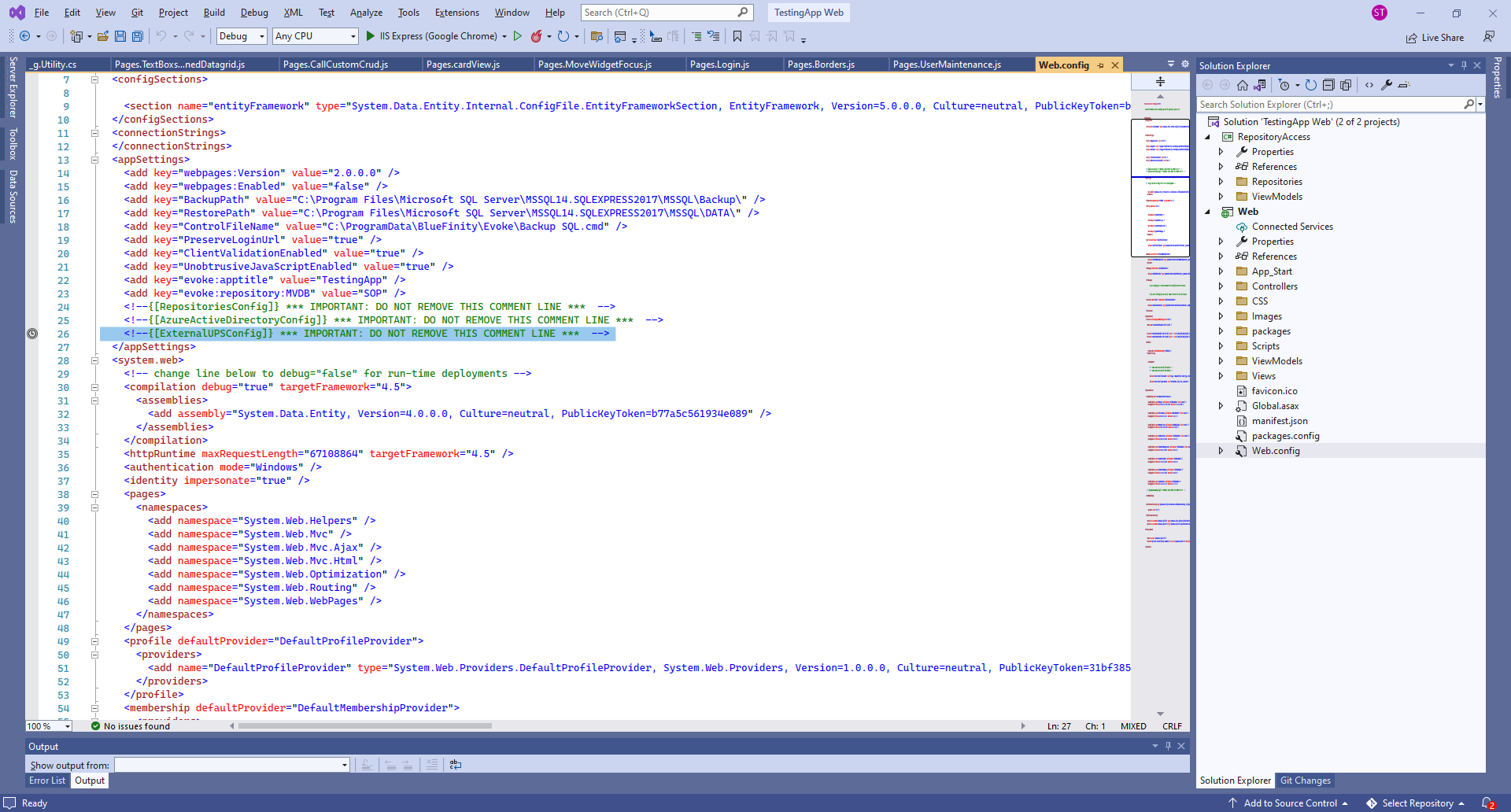
This comment line needs to be added immediately after the comment line "<!--{[ExternalUPSConfig]} *** IMPORTANT: DO NOT REMOVE THIS COMMENT LINE ***--->" in the location shown in the image on the right. Please click on the image to make it full page.
"<!--{[OpenIDAuthAssemblyConfig]} *** IMPORTANT: DO NOT REMOVE THIS COMMENT LINE ***-->"
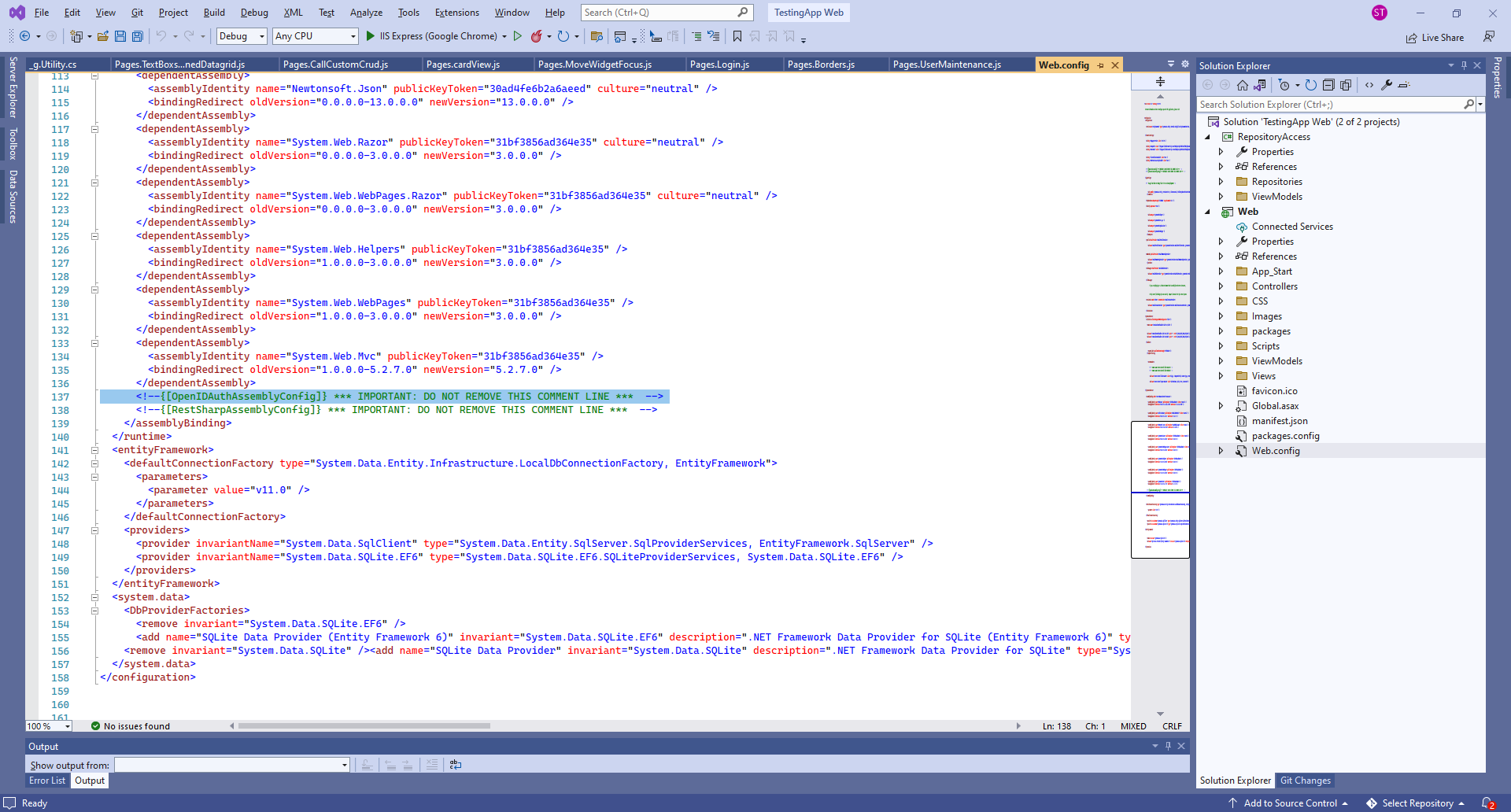
This comment line needs to be added immediately after the closing of the last "dependant assembly (</dependantAssembly>)". You will find this around lines 130-140 in the web.config. The location is also immediately before the closing of "assemblyBinding (</assemblyBinding>)" and is shown in the image on the right. Please click on the image to make it full page.
"<!--{[restSharpAssemblyConfig]} *** IMPORTANT: DO NOT REMOVE THIS COMMENT LINE ***-->"
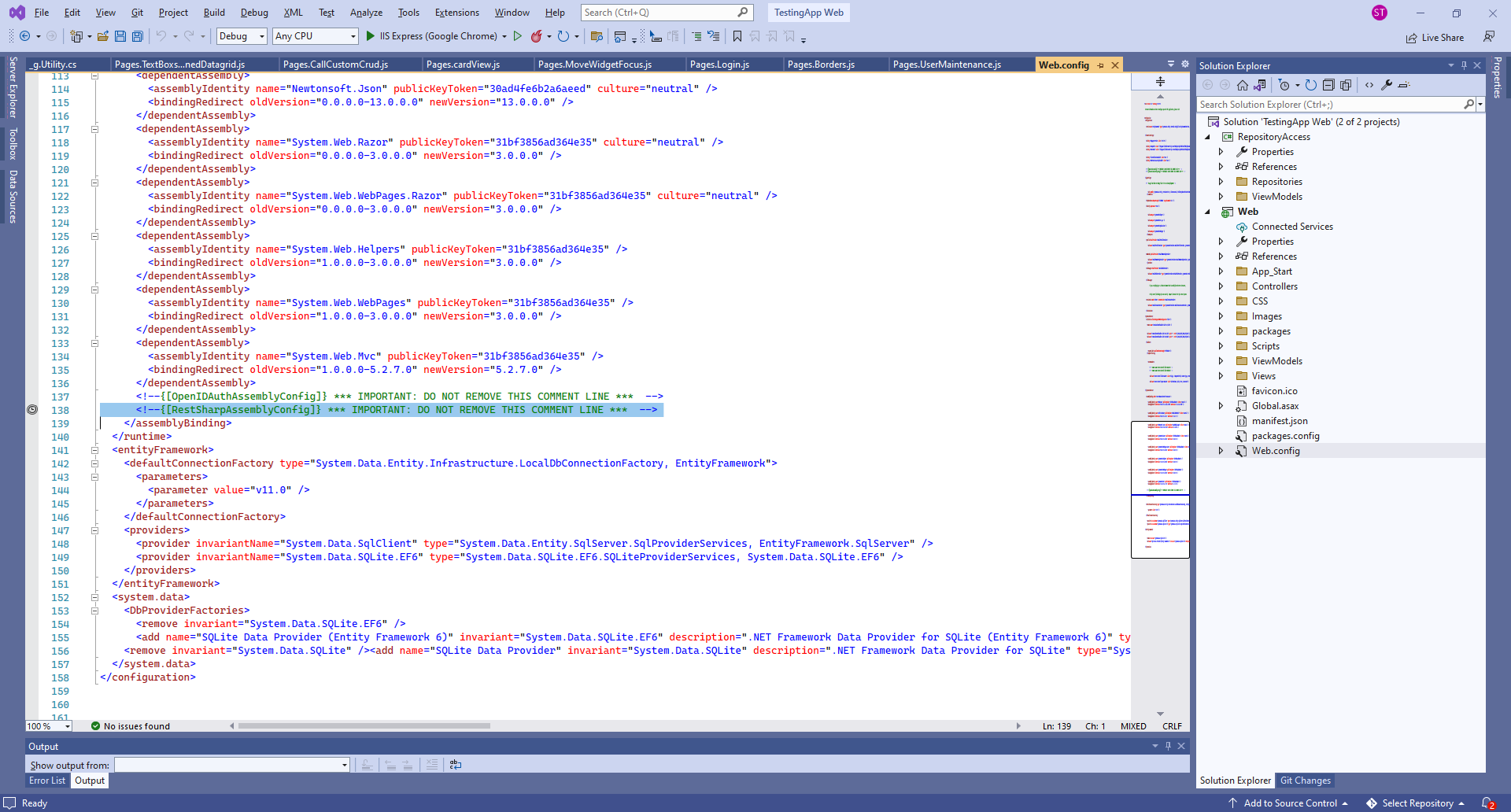
This comment line needs to be added immediately after the comment line "<!--{[RestSharpAssemblyConfig]} *** IMPORTANT: DO NOT REMOVE THIS COMMENT LINE *** -->" In the location shown in the image on the right. Please click on the image to make it full page.
"<!--{[ExternalMail]} *** IMPORTANT: DO NOT REMOVE THIS COMMENT LINE ***-->"
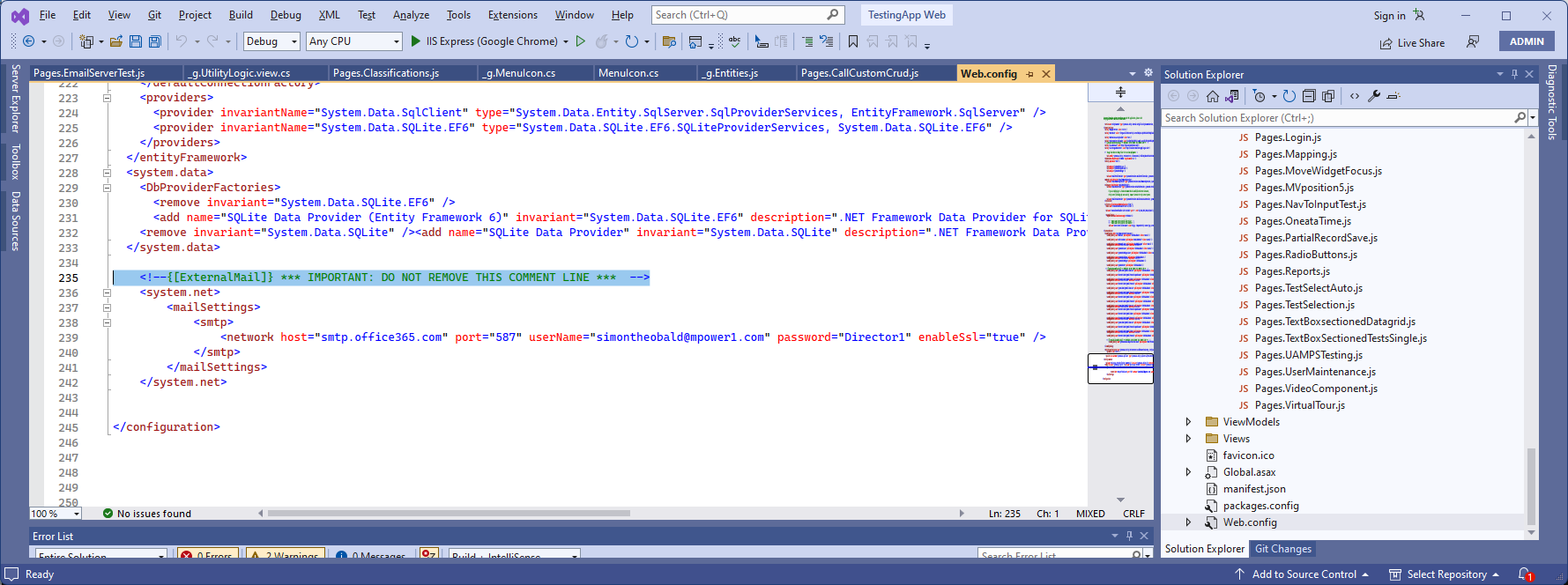
This comment line needs to be added immediately before the last line of the web.config, so before "</configuration>" In the location shown in the image on the right. Please click on the image to make it full page.
"<!--{[ExternalMailAssemblyConfig]} *** IMPORTANT: DO NOT REMOVE THIS COMMENT LINE ***-->"
This comment line needs to be added immediately after the comment line "<!--{[RestSharpAssemblyConfig]} *** IMPORTANT: DO NOT REMOVE THIS COMMENT LINE *** -->" In the location shown in the image on the right. Please click on the image to make it full page.
"<!--{[PayPalConfig]} *** IMPORTANT: DO NOT REMOVE THIS COMMENT LINE ***-->"
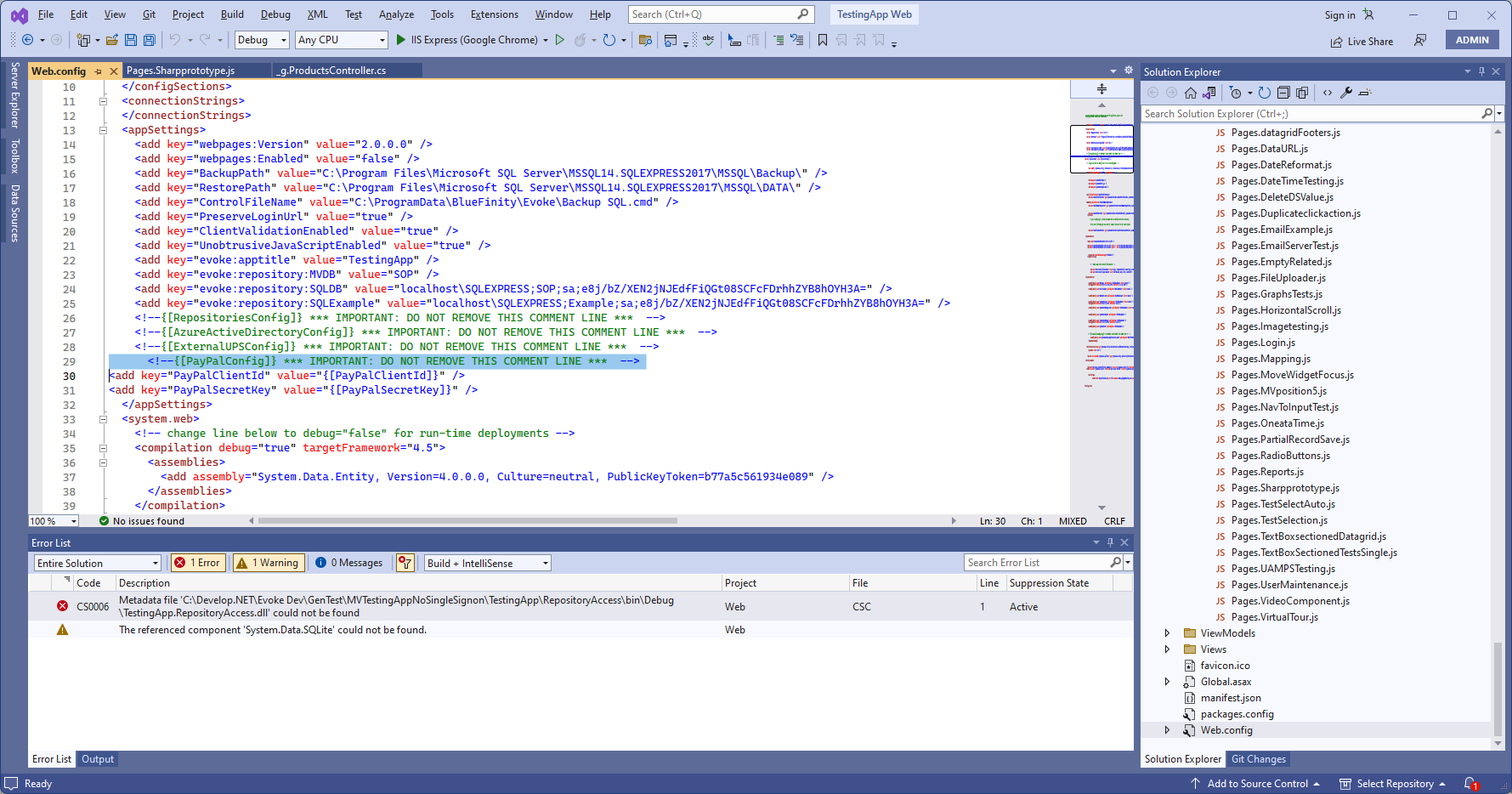
This comment line needs to be added immediately before the line "</configuration>", which is at the end of the webconfig file. In the location shown in the image on the right. Please click on the image to make it full page.
"<!--{[EmailReference]} *** IMPORTANT: DO NOT REMOVE THIS COMMENT LINE ***-->"
Missing Comment Lines in RepositoryAccess\RepositoryAccess.csproj
This comment line needs to be added in the project files of the Repository Access project. To help with this process there is a very short video (on the right) that shows what needs to be done.
"<!--{[OAuthEmailReference]} *** IMPORTANT: DO NOT REMOVE THIS COMMENT LINE *** -->"
Missing Comment Lines in RepositoryAccess\RepositoryAccess.csproj
Part of the Evoke email OAUTH support.
This comment line needs to be added in the project file of the Repository Access project - add it with the other similar comment lines e.g. databasereferences. To help with this process please see the video above
This comment line needs to be added in the project file of the Repository Access project - add it with the other similar comment lines e.g. databasereferences. To help with this process please see the video above